
![[aggregator] downloaded image for imported item #135329](https://newsview.top/wp-content/uploads/2026/10/facebook-settlement-scams-1024x576.jpg "Your phone may reveal doctor, church and pharmacy visits")
This post was originally published on this site.
Nobody needs to follow you to know where you went this week.The phone in your pocket can alreadykeep a recordof your movements.And parts of that information can end up in the hands of other companies.
Your pharmacy.Your cardiologist.The church you attend on Sunday morning.The support group you’d rather nobody knew about.None of it necessarily comes from hacking.It can come from ordinary apps you installed yourself and the permissions you gave them.Here’s how your movements can get out, who buys location data and the settings that canlimit how much gets shared.
Join us for a free CyberGuy LIVE class.
Kurt “CyberGuy” Knutsson shares practical ways to stay safer, smarter and more confident with technology.Explore classes onstopping spam, phone security, financial protection and using AI to get better healthcare.Each class is free, easy to follow and comes with afree printable checklist.
See the classes and register at CyberGuyLive.com.
WHAT YOUR INTERNET PROVIDER, WEBSITES AND ADVERTISERS SEE

A smartphone can share location and other device data that may reveal sensitive details about where you go.(Tero Vesalainen/Getty Images)
Your phone can carry an advertising identifier
Smartphones can use advertising identifiers that help advertisers and developers measure ads and activity.On Apple devices, the system advertising identifier is known as the IDFA.Android devices can use Google’s advertising ID.
Advertising identifiers can help connect activity across apps when apps and advertising systems are permitted to use them.Combined with location data and other signals, those identifiers can help companies build a much more detailed trail of where a device has been.
And a trail stops being anonymous fast.A device that sleeps at your address every night and turns up at a dialysis center every Tuesday and Thursday isn’t much of a mystery to anyone who can connect those locations with other identifying information.
The apps hand it off, and it keeps moving
Anapp asks for your location.Often for a fair reason, like providing a local forecast or showing the nearest pharmacy.What many people don’t realize is that apps can include advertising and analytics software from outside companies.Depending on the app, its permissions and its privacy practices, that technology may collect or receive information about your device and location.Location information can also become part of the digital advertising ecosystem, where information about a device can pass among multiple companies.Once location data leaves your phone, controlling where it goes next becomes much harder.
Federal regulators have already gone after this
This isn’t a theory about what could happen.The government spent years fighting one such case in court.On May 4, 2026, the Federal Trade Commission announced a settlement that bars the data broker Kochava and its subsidiary, Collective Data Solutions, from selling, sharing or disclosing sensitive location data without people’s affirmative express consent, subject to the terms of the order.TheFTC alleged Kochava sold locationdata from hundreds of millions of mobile devices that could track people to health facilities, places of worship and other sensitive locations.Kochava did not admit wrongdoing.Kochava wasn’t alone.In December 2024, the FTC took action against two more location data companies, Gravy Analytics and Mobilewalla, over allegations involving the sale of sensitive location data.
Then one of them got robbed
In January 2025, Gravy Analytics was breached.A hacker posted what they claimed was 17 terabytes of stolen data on a Russian cybercrime forum.Security researchers examining a sample found more than 30 million location points, including phones at the White House, the Kremlin and military bases around the world.The data reportedly came from everyday apps, including games and dating apps.Think about what that means.A company collects movements.Regulators take action over how sensitive location data gets handled.Then criminals allegedly obtain amassive collection of dataanyway.
What your movements actually tell a stranger
Strip out the technical language.A few weeks of location data can potentially reveal:
- Which clinic you go to and how often you go back
- Which house of worship you attend and whether you still do
- Whether anyone else appears to live at your address
- What hours your home may sit empty
- Which relatives you visit and on what day
Those last few can turn a privacy problem into a safety concern.A device that regularly leaves a home at the same time and returns two hours later can reveal patterns about when someone may be away.Location information can also make a scam call more convincing.“I’m calling from the billing office at the clinic on Oak Street about your visit last week” is much harder to dismiss when the clinic and timing happen to be correct.And withMedicare Open Enrollmentbeginning October 15, a caller who seems to know your doctor or pharmacy may sound more convincing than a random scammer.
‘But I never share my location’
If you’ve ever tapped “Allow” on a weather app, a store app or a game, you may have shared it.You might have granted that permission years ago and forgotten about it.Even apps without precise location permission may be able to estimate your general area through information such as your internet connection.You can’t make yourself invisible, but you can make your movements harder to track.
What you can do about it
You can’t stop your phone from knowing where you are and still use every location-based feature.But you can limit which apps get that information and reduce some of the identifiers used for advertising and tracking.None of this takes technical skill, and you can tackle one part at a time.
Start here: limit advertising tracking
Advertising identifiers aren’t the only way companies can recognize a device, but limiting them can remove one tool used to connect activity for advertising purposes.
On iPhone
First, control whether apps can request permission to track you across other companies’ apps and websites:
- OpenSettings
- TapPrivacy &Security
- TapTracking
- Turn offAllow Apps to Request to Track
When this setting is off, apps that request permission to track are treated as though you selectedAsk App Not to Track.They cannot access Apple’s system advertising identifier, known as the IDFA.
Apple also has a separate setting for ads that Apple itself delivers:
- OpenSettings
- TapPrivacy &Security
- TapApple Advertising
- Turn offPersonalized Ads
This second setting limits howApple personalizesthe ads it delivers in services such as the App Store, Apple News and Stocks.It is separate from the app-tracking control above.
THE SCAMMER AT YOUR DOCTOR’S OFFICE MAY ALREADY KNOW WHO YOU ARE
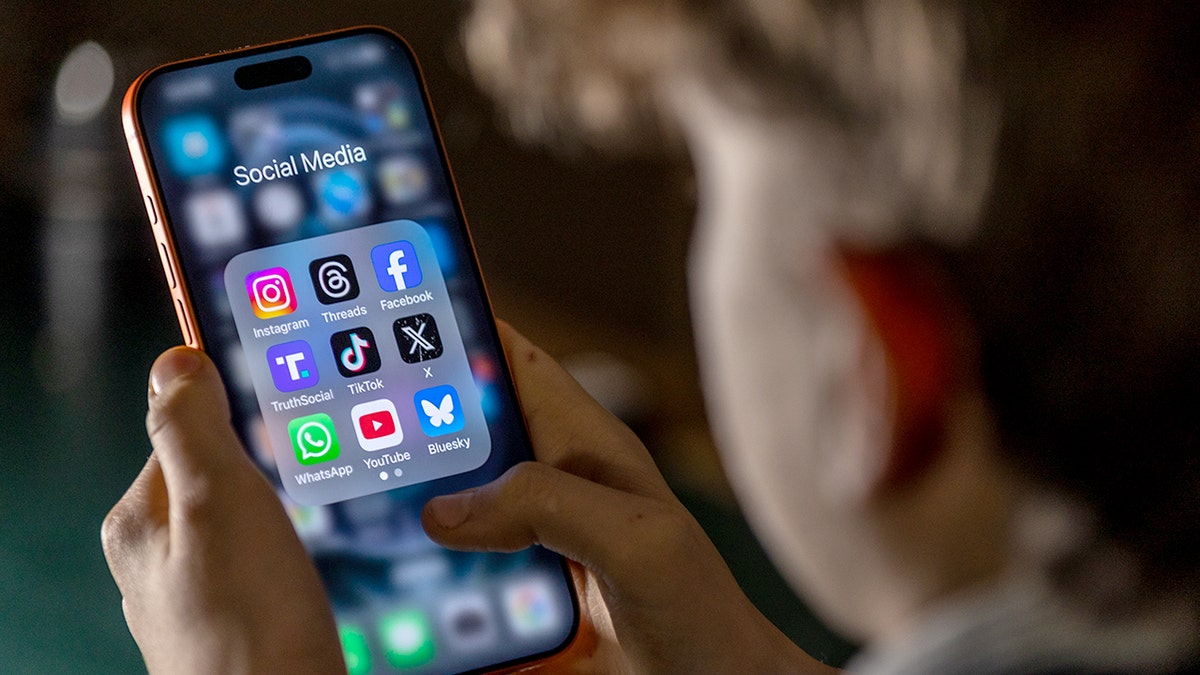
Social media apps collect more data than many users realize, from clicks and contacts to location history.(Anna Barclay/Getty Images)
On Samsung Galaxy
To check your advertising ID controls:
- OpenSettings
- TapSecurity and privacy
- Scroll down and tap More privacy settings
- OpenAds
- TapDelete advertising IDif that option appears
- Confirm your choice
Depending on yourGalaxy modeland software configuration, you may also find Google’s advertising controls throughSettings >Google >All services >Ads.
Deleting the advertising ID prevents apps from accessing that particular Google advertising identifier.It does not prevent every form of advertising, analytics or device identification.
On Google Pixel
- OpenSettings
- TapSecurity &Privacy
- TapPrivacy controls
- TapAds
- TapDelete advertising ID
- Confirm your choice
Google saysdeleting the advertising ID removes that identifier.Apps that try to access it receive a string of zeros instead.Apps can still have their own privacy and advertising settings, so this does not eliminate every form of tracking.
Next: tighten location permissions
Now look at which apps can see where you are and whether they really need that access.
On iPhone
- OpenSettings
- TapPrivacy &Security
- TapLocation Services
- Scroll through thelist of apps
- Tap anapp you want to review
- Choose the appropriate access, such asNever,Ask Next TimeorWhen I ShareorWhile Using the App
- If the app doesn’t need your exact location, turn offPrecise Location
You don’t have to turn Location Services off completely.Doing so can interfere with useful features.Instead, focus on apps that have more access than they need.
On Samsung Galaxy
- OpenSettings
- TapLocation
- TapApp permissionsorApp location permissions
- Review theapps that can access your location
- Tap anapp you want to change
- Select the appropriate option, such asDon’t allow,Ask every timeorAllow only while using the app
- If the app doesn’t need your exact location, turn offUse precise location
Pay particular attention to apps allowed to access your location all the time.Weather, shopping and similar apps often don’t need continuous background access.
YOUR HOME IS EMPTY.DO BURGLARS ALREADY KNOW?
Data broker listings often include sensitive details like your address, phone number and relatives, making removal a critical first step.(Kurt “CyberGuy” Knutsson)
On Google Pixel
- OpenSettings
- TapLocation
- TapApp location permissions
- Review the apps under categories such asAllowed all the time,Allowed only while in use,Ask every timeorallow when I shareandNot allowed
- Tap anapp you want to change
- Choose thelevel of location access it actually needs
- Turn offUse precise locationwhen an approximate location is enough
A weather app, for example, usually doesn’t need to know exactly where you’re standing.Navigation is one situation where precise location makes much more sense.
Then: clear out what you’re not using
Delete dormant apps.Every unused app is another set of permissions and data practices you may have forgotten about.If you haven’t opened an app since last year and no longer need it, considerdeleting it.
Finally: do it for your parents too
If you have older relatives, their phones are worth checking next.They may be carrying years of old app permissions, and scammers frequently target older adults.Sit down with them for 10 minutes the next time you visit.Review location permissions, advertising controls and apps they no longer use.
The half your phone settings can’t reach
Changing these settings can reduce future collection and sharing, but it doesn’t erase information that companies may have already collected.And here’s the piece many people miss.A location trail by itself may consist largely of coordinates and device information.It becomes much more revealing when someone can connect those movements with a name, home address, phone number or relatives.Some of that identifying information can come from people-search anddata broker sitesthat publish or sell personal details.You can run a quick free scan to see what a scammer would see if they looked you up right now.If it shows details you never agreed to publish, you’ll be able to take action and get them removed.
Remove personal information that’s already out there
This is where I strongly recommend using apersonal data removal service.These services can automatically send removal requests to hundreds of data brokers, including people-search websites, on your behalf.They can also keep monitoring and resubmitting requests when your information reappears, which is important because data can return even after it has been removed.Get my picks for the best 2026 antivirus protection winners for your Windows, Mac, Android and iOS devices at CyberGuy.com.
Kurt’s key takeaways
Your phone can reveal far more about your life than you may realize.Location data can expose visits to doctors, pharmacies, places of worship and other sensitive locations, especially when it gets combined with advertising identifiers and other information about you.The FTC’s actions against location data brokers show this is not a hypothetical privacy problem.And the Gravy Analytics breach showed what can happen when enormous collections of location information fall into the wrong hands.I would start by reviewing which apps have access to your location and removing access from anything that doesn’t truly need it.Then limit app tracking on your iPhone or delete your advertising ID on Android if that option is available.These changes won’t make you invisible, but they can reduce the amount of information available to build a detailed trail of where you go.And don’t forget the phones belonging to parents or older relatives.Years of forgotten app permissions can leave far more information exposed than they realize.
When was the last time you checked which apps on your phone can see your location?Let us know by writing to us atCyberGuy.com.
Sign up for my FREE CyberGuy Newsletter
- Get my best tech tips, urgent security alerts and exclusive deals delivered straight to your inbox.
- For simple, real-world ways to spot scams early and stay protected, visitCyberGuy.com–trusted by millions who watch CyberGuy on TV daily.
- Plus, you’ll get instant access to my Ultimate Scam Survival Guide free when you join.
onelink.me/xLDS?pid=AppArticleLink&af_web_dp=https%3A%2F%2Fwww.
Copyright 2026 CyberGuy.com.All rights reserved.
![[aggregator] downloaded image for imported item #116449](https://newsview.top/wp-content/uploads/2026/08/tv-box-hidden-activity-1024x576.jpg "Cheap TV boxes may secretly click ads for fraud")
![[aggregator] downloaded image for imported item #116732](https://newsview.top/wp-content/uploads/2026/08/google-pixel-event-1024x576.jpg "8 things we learned from Google's Pixel 11 event")